Integrations
AlertKick for Slack
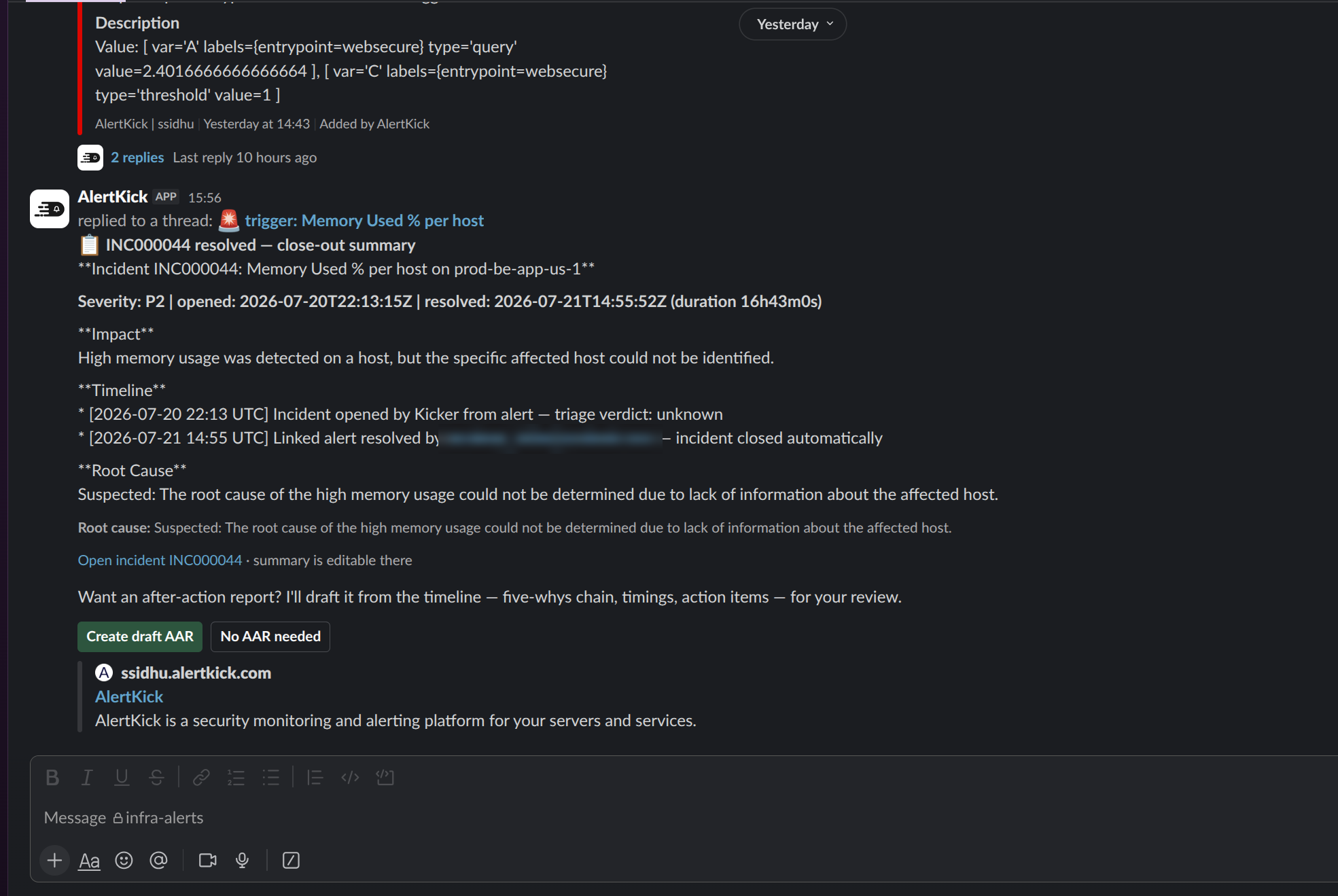
Security and uptime alerts land in your channels with full context and an AI triage verdict explaining why they matter. Mention the bot in any alert thread to ask follow-up questions, and acknowledge, snooze, escalate, or resolve without leaving Slack.
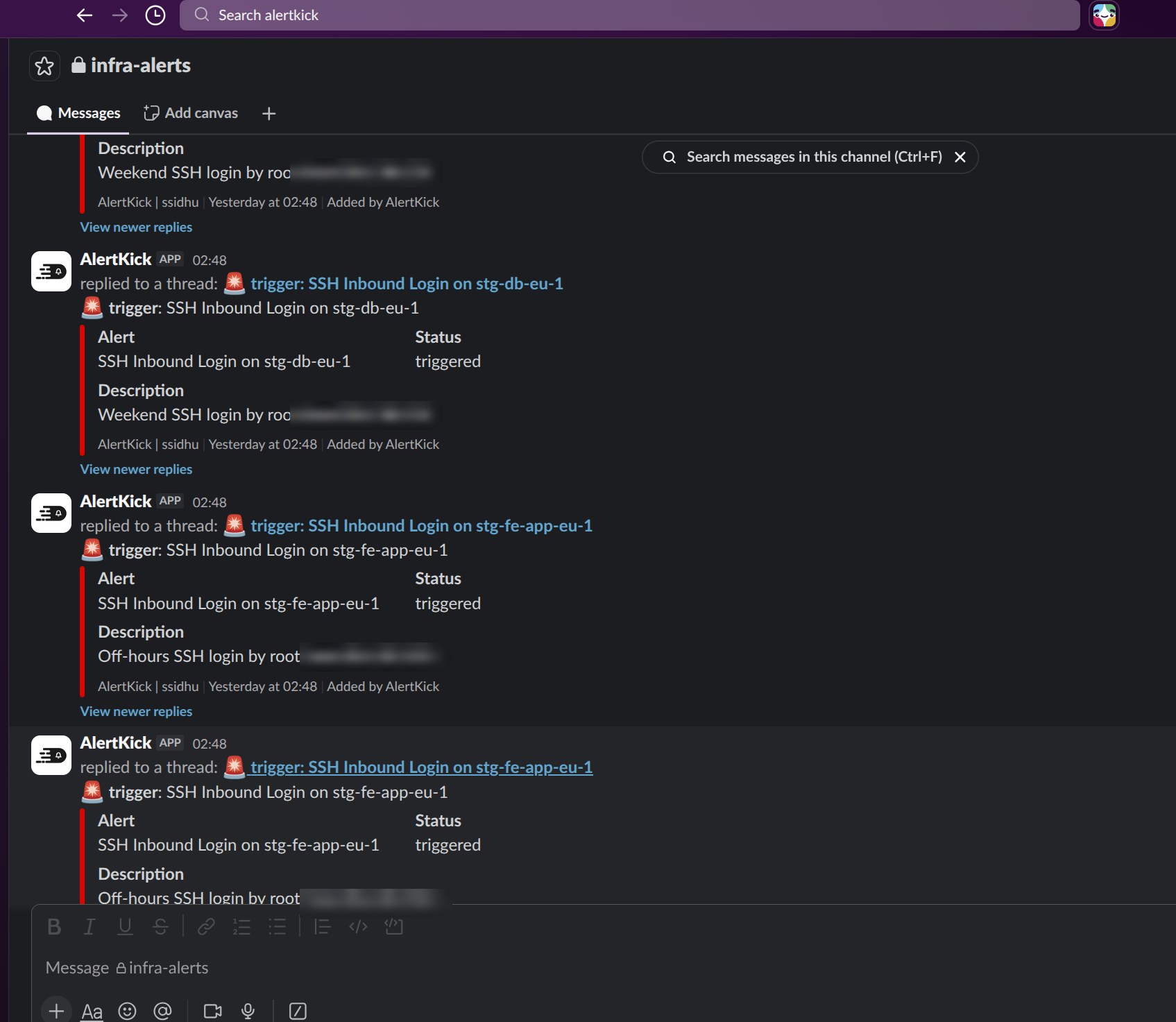
Alerts with their evidence attached
Every notification carries the alert, the host, the triggering events, and the AI verdict with its reasoning - the same analysis shown in the AlertKick dashboard, delivered where the team already is.
Ask follow-up questions in-thread
Mention @AlertKick in an alert thread and ask what happened, whether it's spread to other hosts, or what to check next. The bot answers from your account's live monitoring data.
Act without switching tools
Acknowledge, snooze, escalate, or resolve from message buttons. The /alertkick command answers status questions on demand: open alerts, active incidents, monitor health.
Part of real escalation chains
Slack is one level in your escalation policies - if nobody reacts in the channel, the alert escalates to Telegram, WhatsApp, SMS, or a phone call to whoever is on call.
Install in three steps
- Create a free AlertKick account (no card required) or sign in to your existing one.
- In the dashboard, go to Admin → Integrations and click Add to Slack. Slack will ask you to authorize the AlertKick app for your workspace.
- Pick the channels alerts should go to - in your escalation policies, notification settings, or per-alert-type routing. Done: the next alert arrives in Slack with its verdict attached.
Installation happens from inside the dashboard because the workspace gets linked to your AlertKick account during authorization - that's how the bot knows which account's alerts and data belong in your channels.
Permissions it asks for, and why
- Post messages (chat:write) - deliver alert notifications and command responses.
- View channel lists (channels:read, groups:read) - let you pick destination channels when configuring notifications.
- See @-mentions of the bot (app_mentions:read) - power the conversational follow-up. The bot only sees messages that mention it, never your other conversations.
- Read the thread it was mentioned in (channels:history, groups:history) - when you @-mention the bot in a thread, it fetches that thread's replies so follow-up questions keep their context. It does not read, monitor, or store any other messages.
- Slash commands (commands) - the /alertkick command.
- Look up who acted (users:read, users:read.email) - when someone acknowledges or resolves an alert from Slack, their email is matched to an AlertKick user so the action is attributed correctly in your audit trail. Used only for that matching, never for marketing.
Workspace credentials are stored encrypted, deactivated the moment you disconnect or uninstall, and removed with account deletion. Details in the privacy policy; questions to support (we respond within 2 business days).
Alerts your team can talk to
Free plan includes 10 uptime monitors and heartbeats with Slack delivery - no card, commercial use welcome. The security agent and AI triage come with paid plans from £39/month.
Get started free